
Sometimes we need to change the Google Maps zoom level on a marker click to navigate the location closely. This WP MAPS PRO plugin provides an easy way to change the zoom level on marker click using the following steps:
Step 1 Go to Add Map or Manage Maps > Edit Map and Scroll down to the Infowindow Settings section.
Step 2 Point to the Change Zoom on Click and select Zoom Level from the drop-down list.
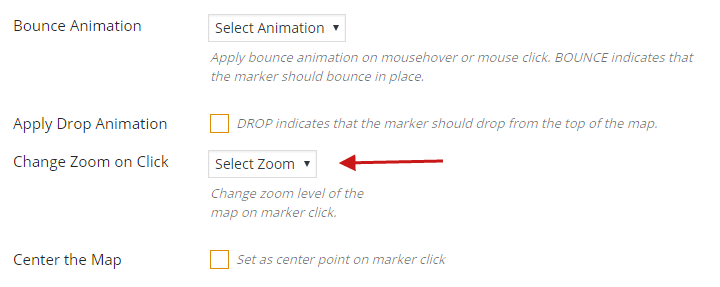
Step 3 Click Save Map and see the changes.
Related Tutorials:
- How to hide markers on page load
- How to change zoom level of the Google Maps on marker click
- How to create a marker category
- Different types of control settings in Google Maps
- What are marker clusters and how to use
Related Examples:
- Custom HTML over Google Maps
- Paginated markers grid on Google Maps
- Display marker clusters on Google Maps
- Bounce animation on marker click on a Google Map
- Advanced search on markers listing in Google Maps
Was this article helpful?
YesNo
 Proudly crafted & developed by flippercode.com